
Cloud Security for your company

Total control within your systems

Your company data must always be safe. Partly due to the popularity of hybrid working, it is more important than ever to keep a grip on the data security of your company. That is why IT security is interwoven throughout the entire online workplace. 

This is how we do it

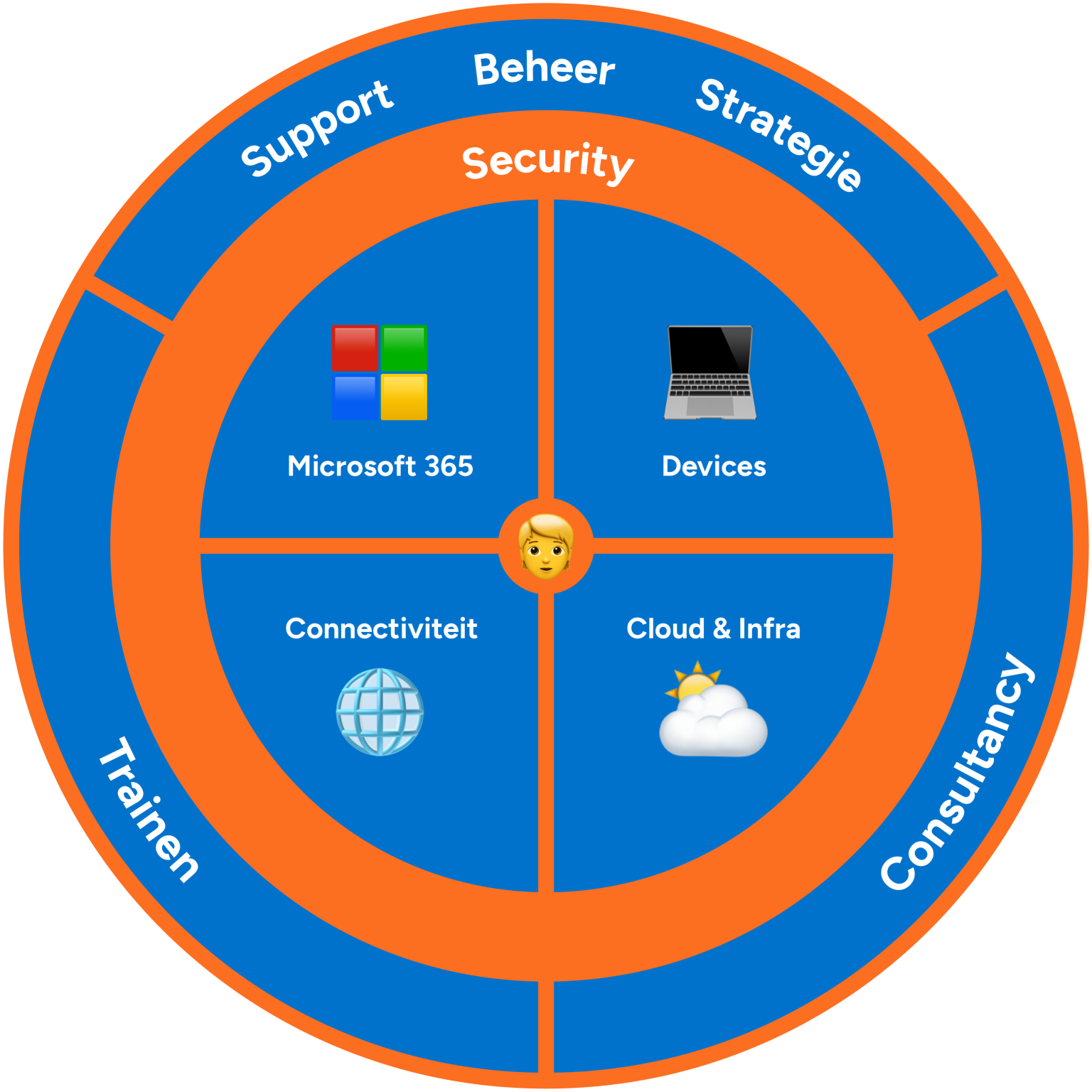
  • Users: Personal user accounts extra secure
  • Office: a shield around your entire IT infrastructure
  • Devices: company hardware and personal devices extra secure with our management

The benefits of IT security at IT Synergy

24/7 monitoring

For proactive security of your ICT environment

Updates

Always backed up and automatically up-to-date in the background
Safe hybrid working

Microsoft tools for advanced security measures
Care to catch up?

Your company data hacker-proof

These customers can no longer do without

Personal security

User-Based security with CA, IAM and MFA

With the explosive growth of hybrid working, the security of individual users is central. Colleagues work from different locations or with their own devices so the company network is no longer the only thing that needs to be well secured. We therefore protect the identity of users with various security protocols .  

Conditional access

With Conditional Access (CA) we look at the identity and characteristics of a user. Where does someone try to log in and via which device? In this way, a number of 'conditions' are checked. Does something deviate from known and/or permitted locations, devices or identities? Then a check moment is automatically activated via MFA.

Identity and Access Management

IAM stands for the management process and associated access control for company resources . A rights structure determines who does or does not have access to company data. For example, one colleague may access financial data, while the other has no rights to do so . We set all of this up in the background . Is someone trying to access certain data without rights (authorization) ? Or do we not 100% trust that someone is really the one (authentication) ? Then a check moment with MFA automatically follows .

Multi-Factor Authentication

MFA is a way to additionally verify who is logging in. For example, are you logging in from your holiday address in Spain? Or are you using an unknown public Wi-Fi network? Then there is an additional verification moment via the Microsoft MFA app. This way we know for sure that it is really you !

Lock on your office

Security for your IT infrastructure

Everything around your office needs to be secure. We set up everything to secure your network and company data (in the cloud).

Backup

We continuously back up your company data and information in OneDrive and SharePoint. Microsoft Outlook email is also continuously backed up. This means your data can never be lost.

Anti-virus policy

With our anti-virus policy, we secure everything around your office and user accounts. We do this with ESET antivirus and internet security. We also promise redundancy. Do we detect a malfunction or criminal activity on your internet line? Then we tackle this, while everyone temporarily switches to a fast 4G or 5G connection.

Firewall

With a firewall we secure your entire company network. We ensure that cybercriminals cannot simply work infected software in. We simply keep a DDoS attack outside the door!

Protected devices

Hardware security with Microsoft Intune

In addition to people and accounts, all hardware must be properly secured.
We secure corporate devices and personal devices bring your own device 

Device management

We manage all hardware centrally via Microsoft Intune . With Mobile Device Management (MDM) and Mobile Application Management (MAM) we automatically push secure apps and software that needs to be on the hardware of your colleagues. We remotely monitor company devices for security, without viewing personal data. This ensures the privacy of users.

Patch management

With Intune , we perform patches remotely. As soon as an error occurs in software or an operating system, we respond immediately. So we actually stick on a digital band-aid. This way, the code of hardware , software and operating systems remains automatically protected against hacking attempts.

Disk encryption

We use Bitlocker for advanced disk encryption. In case cybercriminals try to hack company data , they can't read it thanks to this encryption .

Security Awareness training for companies

Our knowledge, your skills

As an ICT party, we do everything we can to fully protect data. Unfortunately, this is never completely watertight. A large part depends on security awareness within your organization. Awareness of cybercrime and its prevention is the most important step towards the security of company data.

As an ICT party, we provide security awareness training. In this, we take your organization along in the prevention of phishing spoofing and our anti-virus policy. But also practical tips such as locking your computer screen when you walk away from your place. Or that it is not useful to share passwords and login details via WhatsApp.

We love feedback
These users already love IT

Our service desk is ready to help you every day when you run into problems. We think along with you and ensure that you hang up the phone with a smile. See below the experience of our users.

Our Customer Feedback

CSAT 88

458 reviews in the last 90 days

John Doe
John Doe
“Urgently created an account for a new employee. Many thanks for the fast service Hugo! Kind regards, Nancy... ”
John Doe
John Doe
“Urgently created an account for a new employee. Many thanks for the fast service Hugo! Kind regards, Nancy... ”
John Doe
John Doe
“Urgently created an account for a new employee. Many thanks for the fast service Hugo! Kind regards, Nancy... ”
John Doe
John Doe
“Urgently created an account for a new employee. Many thanks for the fast service Hugo! Kind regards, Nancy... ”

Frequently Asked Questions

For many people, ICT is abracadabra, so we make it as easy as possible. Is your question or answer not listed? Please feel free to contact us.

MFA is one of the most secure ways to verify user identity. This means that you as a user must go through two or more steps to log in to the cloud or cloud applications. For example, you receive a code via SMS or an MFA app.

IAM is a management and security protocol based on authentication and authorization. IAM first checks whether the person requesting access to certain data or software is really who he says he is (authentication). Then it checks to which data this person has rights (authorization).

Conditional Access stands for conditional access. It is used for authorization, so it is checked whether you are actually allowed to access a certain app or software. Conditional Access works based on location, access rights, devices and the type of application, software or data that you are trying to access.

Nothing is a must, but to keep up with technological developments, we recommend switching to the cloud 100%. The cloud not only makes collaboration easier and more efficient. Company data is also safer, because you are not tied to one fixed location where your servers are located.

Scroll to Top